
Zen Cart Mobile Assistant2.1.3 - Get APK
You'll be able to download in few seconds.
Publisher Description
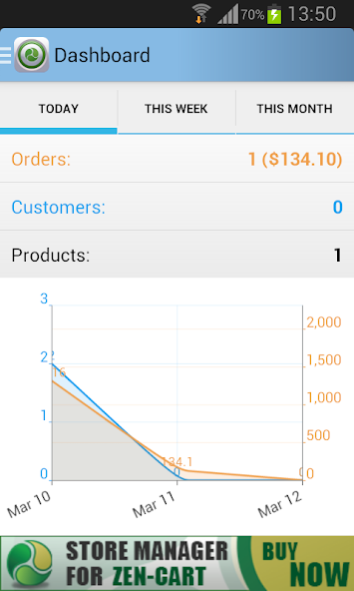


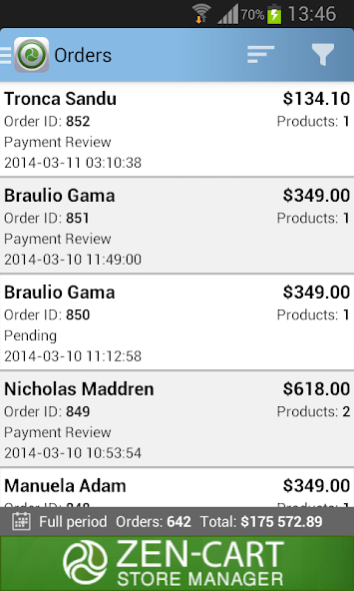
Do you want to always have the latest information from your Zen Cart store? Yes? If so then Zen Cart Mobile Assistant is the right choice!
Keep track of every change in your online store, collaborate with customers and keep your finger on the pulse of the events! With the help of Zen Cart Mobile Assistant on your Android Phone there is no need to carry printed spreadsheets or a laptop. All you need is a Zen Cart Mobile Assistant on your Zen Cart Mobile Phone!
*****
NOTE: In order to connect Zen Cart Mobile Assistant to your store you should upload there mobile-bridge.php file. In case if your application works incorrectly first of all try to update mibile-bridge.php to the most recent version.
You can download the latest version of bridge file at:
http://emagicone.com/shared_files/mobile-bridge.zip
Remember to change default login and password!
See full documentation at http://mobile-store-assistant-help.emagicone.com
*****
*** In case you have any questions or troubles contact us at mobile@emagicone.com ***
Features:
- highly intuitive user interface
- control multiple online stores from one mobile device
- quick filters to check your orders and customers today/week/month and so on
- browse store statistics, see sales and trends
- keep in touch with your customers - make phone calls or send emails right from the software
- homescreen widget showing your store daily progress - number of new customers, orders and total sales
Requested permissions:
- INTERNET: used to get the latest content from your store
- CALL_PHONE: to call customers right from the app
About Zen Cart Mobile Assistant
The company that develops Zen Cart Mobile Assistant is eMagicOne. The latest version released by its developer is 2.1.3.
To install Zen Cart Mobile Assistant on your Android device, just click the green Continue To App button above to start the installation process. The app is listed on our website since 2014-04-18 and was downloaded 0 times. We have already checked if the download link is safe, however for your own protection we recommend that you scan the downloaded app with your antivirus. Your antivirus may detect the Zen Cart Mobile Assistant as malware as malware if the download link to com.ZenCart.MobileAssistant is broken.
How to install Zen Cart Mobile Assistant on your Android device:
- Click on the Continue To App button on our website. This will redirect you to Google Play.
- Once the Zen Cart Mobile Assistant is shown in the Google Play listing of your Android device, you can start its download and installation. Tap on the Install button located below the search bar and to the right of the app icon.
- A pop-up window with the permissions required by Zen Cart Mobile Assistant will be shown. Click on Accept to continue the process.
- Zen Cart Mobile Assistant will be downloaded onto your device, displaying a progress. Once the download completes, the installation will start and you'll get a notification after the installation is finished.
Program Details
System requirements
Download information
Pricing
Version History
version 2.1.3
posted on 2014-04-18
1. New Custom filters section on the dashboard,2. Improved Mobile Assistant user feedback - feature request/poll added,3. Minor connection setup improvements,4. Phone and eMail fields in Order Details and User Details are responsive now,5. German (by tomkay) and Spanish translations added,6. Fixed minor bugs,* Most recent version of mobile-bridge.php file is required
version 1.2
posted on 2013-07-02
Several fixes and updates
Disclaimer
External Download
We do not host Zen Cart Mobile Assistant on our servers. We did not scan it for viruses, adware, spyware or other type of malware. This app is hosted by Galad and passed their terms and conditions to be listed there. We recommend caution when installing it.
The APK Download link for Zen Cart Mobile Assistant is provided to you by apps112.com without any warranties, representations or guarantees of any kind, so access it at your own risk.
If you have questions regarding this particular app contact the publisher directly. For questions about the functionalities of apps112.com contact us.
